
Technical SEO is the backbone of every successful website. If your website cannot be crawled, indexed, loaded quickly, and understood by search engines, even the best content may struggle to rank. In technical SEO 2026, search engines are focusing more on user experience, mobile performance, structured data, site speed, and AI-readability. That is why following a clear technical SEO checklist 2026 is essential for long-term organic growth.
This guide provides a practical technical SEO checklist to help you identify and fix the most important backend issues affecting your website’s rankings. Whether you run a business website, blog, ecommerce store, or SaaS platform, this technical SEO audit checklist 2026 will help you build a strong SEO foundation.
Before applying this technical SEO checklist 2026, it is important to understand how Google Search works so you can optimize your website for crawling, indexing, and ranking more effectively.

Why Technical SEO Matters in 2026
Search engines are no longer ranking pages based only on keywords. In technical SEO 2026, Google and AI-powered search systems evaluate how fast your website loads, how well it works on mobile devices, how clearly your content is structured, and how trustworthy your website appears.
A strong technical SEO checklist 2026 can help you:
- Improve website crawlability
- Fix indexing issues
- Increase organic visibility
- Improve website speed
- Enhance mobile experience
- Strengthen site architecture
- Improve user experience
- Support better conversions
- Make your website easier for AI systems to understand
Without technical SEO, your website may lose rankings, traffic, and leads even if your content is well-written. Technical SEO works best when combined with strong content and on-page SEO optimization to improve rankings, traffic, and user experience.
Complete Technical SEO Checklist for 2026
Check Crawlability
Crawlability means how easily search engines can access and scan your website pages. If Google cannot crawl your important pages, they may not appear in search results.
Your technical SEO audit checklist 2026 should start with crawlability. Check your robots.txt file, XML sitemap, crawl errors, blocked URLs, broken internal links, orphan pages, and server errors.
Make sure your robots.txt file is not blocking important pages. Your XML sitemap should include only indexable pages. Important pages should also be linked internally so search engines can discover them easily.
Recommended tools:
- Google Search Console
- Screaming Frog
- Sitebulb
- Ahrefs Site Audit
Optimize XML Sitemap
An XML sitemap helps search engines discover your website’s important pages. A clean sitemap improves crawl efficiency and helps Google understand your website structure.
Your sitemap should include service pages, blog posts, category pages, and other important URLs. Avoid including noindex pages, redirected URLs, duplicate pages, admin pages, or low-value pages.
Submit your XML sitemap in Google Search Console and check it regularly for errors. This is one of the most important steps in any strategic technical SEO checklists because it directly supports crawlability and indexation.
Fix Indexation Issues
Indexation means your pages are stored in Google’s index and can appear in search results. A page may be crawlable but not indexed if it has technical or quality issues.
Check for:
- Accidental noindex tags
- Incorrect canonical tags
- Duplicate content
- Thin content
- Soft 404 errors
- Crawled but not indexed pages
- Discovered but not indexed pages
Use Google Search Console’s URL Inspection Tool to check whether important pages are indexed. Remove accidental noindex tags from valuable pages and improve thin pages with useful content. A clean index helps search engines focus on your best pages.
Review Canonical Tags
Canonical tags tell search engines which version of a page is the preferred version. This is important when multiple URLs contain similar or duplicate content.
Check for missing canonical tags, canonicals pointing to redirected pages, canonicals pointing to noindex pages, and multiple canonical tags on the same page.
Every important page should usually have a self-referencing canonical tag. This helps prevent duplicate content issues and strengthens ranking signals.
Improve Core Web Vitals
Core Web Vitals are important user experience metrics. In 2026, the key Core Web Vitals are:
- LCP – Largest Contentful Paint
- INP – Interaction to Next Paint
- CLS – Cumulative Layout Shift
These metrics measure loading speed, responsiveness, and visual stability.
To improve Core Web Vitals:
- Compress images
- Use WebP image format
- Enable lazy loading
- Minify CSS and JavaScript
- Remove unused code
- Improve server response time
- Use browser caching
- Optimize fonts
- Use a CDN
- Avoid layout shifts
Core Web Vitals should be a major part of your advanced technical SEO checklist because they directly affect both rankings and user experience.
Optimize for Mobile-First Indexing
Google primarily uses the mobile version of your website for indexing and ranking. This means your mobile website must be fast, responsive, and easy to use.
Check whether your website has responsive design, readable font sizes, properly spaced buttons, fast mobile loading speed, and simple navigation. Avoid intrusive popups that block content on mobile devices.
Your mobile version should include the same important content, headings, metadata, structured data, and internal links as your desktop version. A poor mobile experience can reduce rankings, traffic, and conversions.
Improve Site Speed
Website speed is a major part of technical SEO. Slow websites frustrate users and increase bounce rates. A fast website improves both SEO performance and conversion potential.
Check for large images, heavy scripts, unused CSS, too many plugins, poor hosting, render-blocking resources, and excessive third-party code.
To improve speed:
- Compress images
- Minify CSS, JavaScript, and HTML
- Use caching
- Reduce third-party scripts
- Upgrade hosting if needed
- Use a CDN
- Remove unnecessary plugins
- Enable lazy loading
Aim for your important pages to load within 2–3 seconds.
Use SEO-Friendly URL Structure
Clean URLs help users and search engines understand your page topic.
Good URL example:
/technical-seo-checklist-2026
Poor URL example:
/post?id=12345
Use short, descriptive URLs with lowercase letters and hyphens between words. Include the main keyword when it fits naturally. Avoid unnecessary numbers, symbols, and long URL strings.
A clean URL structure should be included in all strategic technical SEO checklists because it improves readability, crawlability, and user trust.
Strengthen Site Architecture and Internal Linking
Site architecture shows how your pages are organized and connected. A strong website structure helps search engines understand which pages are most important.
Important pages should be reachable within 2–3 clicks from the homepage. Use clear navigation, footer links, breadcrumbs, and contextual internal links.
Internal linking also helps distribute authority across your website. Link from blog posts to relevant service pages and from service pages to helpful blog content.
For example, a blog about technical SEO can link to:
- SEO services
- Digital marketing services
- Web development services
- Content marketing
- Contact page
Use descriptive anchor text instead of generic phrases like “click here.”
Technical SEO works best when combined with strong on-page SEO optimization, including optimized headings, metadata, content structure, and internal links.
Add Structured Data and Schema Markup
Structured data helps search engines understand your content more clearly. It can also improve your chances of appearing in rich results.
Useful schema types include:
- Article schema
- FAQPage schema
- BreadcrumbList schema
- Organization schema
- LocalBusiness schema
- Service schema
Make sure your schema matches visible page content. Test your structured data using Google’s Rich Results Test or Schema Markup Validator.
Schema is an important part of an advanced technical SEO checklist because it improves content clarity for search engines and AI-powered search systems.
Secure Your Website with HTTPS
Website security is essential for SEO and trust. Your website should use HTTPS on all pages with a valid SSL certificate.
Check for:
- HTTP pages
- Mixed content errors
- Expired SSL certificate
- Insecure forms
- Malware issues
- Outdated plugins or themes
Redirect all HTTP pages to HTTPS using 301 redirects. A secure website builds trust with both users and search engines.
Fix Broken Links and Redirect Issues
Broken links create a poor user experience and waste crawl budget. Redirect chains can slow down crawling and page loading.
Check for 404 errors, broken internal links, broken external links, redirect loops, and old URLs without redirects.
Fix broken links by updating them to live pages. Redirect deleted pages to the most relevant active page. Avoid sending users and search engines through multiple redirects.
Optimize Images
Images can improve engagement, but large or poorly optimized images can slow down your website.
Image SEO checklist:
- Use descriptive filenames
- Add relevant alt text
- Compress images
- Use WebP format
- Add width and height attributes
- Enable lazy loading
- Avoid using images for important text
For example, use a filename like:
technical-seo-audit-checklist-2026.png
Alt text example:
“Technical SEO audit checklist 2026 covering crawlability, indexing, Core Web Vitals, and schema.”
Optimize for AEO and GEO
In 2026, SEO is also influenced by Answer Engine Optimization and Generative Engine Optimization. Search engines and AI tools prefer content that is clear, structured, and easy to summarize.
To optimize for AEO and GEO:
- Use question-based headings
- Provide direct answers
- Add concise definitions
- Use bullet points and tables
- Include FAQs
- Add schema markup
- Keep content accurate and updated
This makes your content easier for both users and AI-powered search systems to understand.
Final Technical SEO Audit Checklist 2026
Before publishing or updating your website, review this quick checklist:
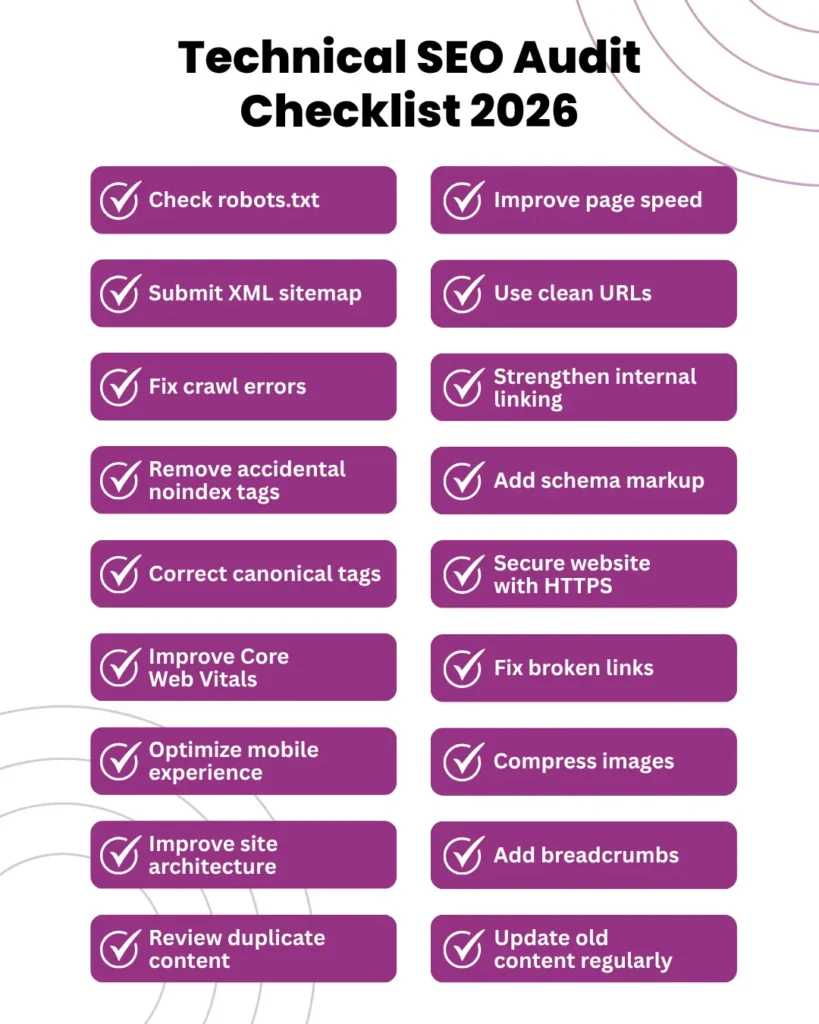
- Check robots.txt
- Submit XML sitemap
- Fix crawl errors
- Remove accidental noindex tags
- Correct canonical tags
- Improve Core Web Vitals
- Optimize mobile experience
- Improve page speed
- Use clean URLs
- Strengthen internal linking
- Add schema markup
- Secure website with HTTPS
- Fix broken links
- Compress images
- Improve site architecture
- Add breadcrumbs
- Review duplicate content
- Update old content regularly
This technical SEO audit checklist 2026 can help you maintain a technically healthy website and improve your organic search performance.
Conclusion
Technical SEO is no longer optional. It is the foundation of a high-performing website and a successful organic growth strategy. By following this technical SEO checklist 2026, you can improve crawlability, indexation, mobile usability, Core Web Vitals, website speed, structured data, security, and user experience.
A strong advanced technical SEO checklist helps search engines understand your website better and helps users navigate it more easily. Whether you are building a new website or improving an existing one, these strategic technical SEO checklists can help you stay competitive in technical SEO 2026.
If you want to understand the bigger impact of SEO on traffic, leads, and revenue, read our guide on how SEO helps your business grow
Quick FAQs
A technical SEO checklist is a step-by-step list used to audit and improve a website’s crawlability, indexation, speed, mobile usability, structure, security, and schema markup.
Technical SEO is important in 2026 because search engines focus heavily on user experience, mobile performance, Core Web Vitals, structured data, and AI-readability.
A technical SEO audit checklist 2026 includes crawlability, indexation, XML sitemap, robots.txt, canonical tags, Core Web Vitals, mobile SEO, site speed, schema markup, HTTPS, and internal linking.
An advanced technical SEO checklist includes deeper checks such as log file analysis, crawl budget optimization, JavaScript rendering, duplicate content control, structured data validation, and site architecture review.
You should perform a technical SEO audit every 3–6 months. Large websites, ecommerce websites, and websites with frequent updates should be audited more often.